TL;DR
PSA and ERP software solve different parts of the operating model for a professional services organization. An ERP is the financial system of record: it manages the general ledger, payables, receivables, purchasing, and consolidated reporting. PSA software manages the services-delivery layer: projects, resources, time and expenses, project accounting, billing workflows, and delivery performance. Most larger services organizations use both. The practical question is not whether PSA replaces ERP; it is whether the organization needs a dedicated operational layer between CRM, delivery teams, and finance.
What Is the Difference Between PSA and ERP?
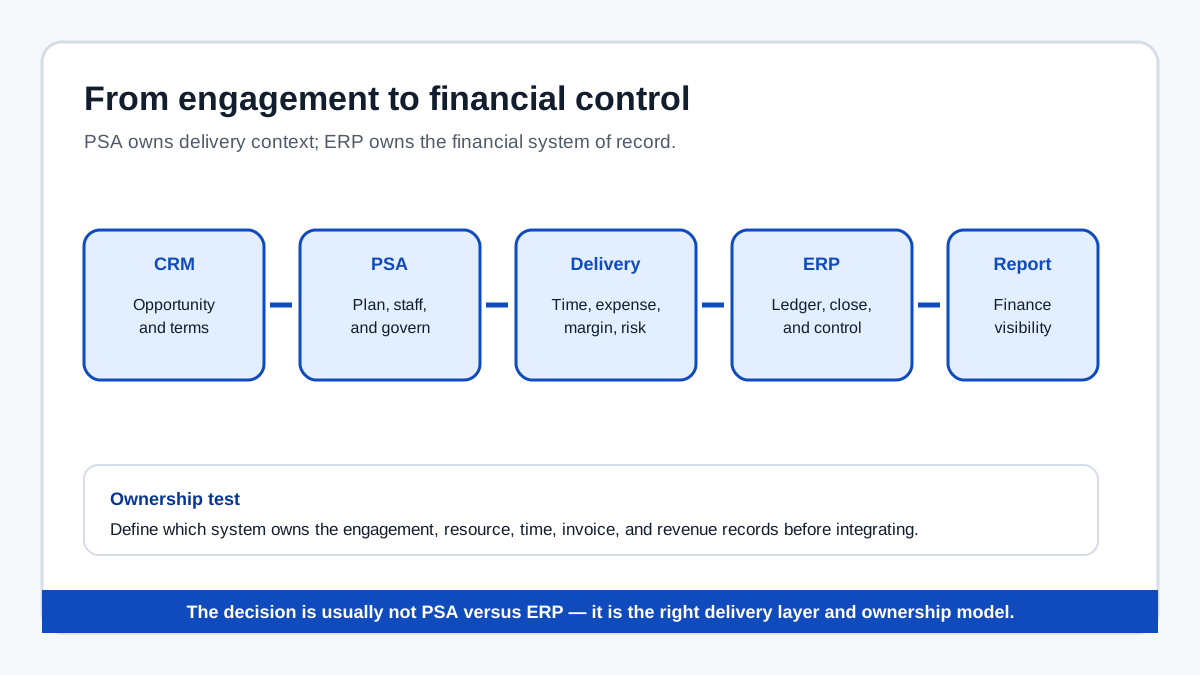
The boundary is easiest to see in the workflow from sale to cash. A CRM records the opportunity and customer relationship. PSA translates a won engagement into a delivery plan, staffed project, time and expense process, billing schedule, and margin view. ERP receives approved financial data and manages the organization's accounting and financial reporting.
| Dimension | PSA software | ERP software |
|---|---|---|
| Primary owner | Services operations, delivery, and resource leadership | Finance and enterprise operations |
| Core object | Client engagement and delivery portfolio | Legal entity, ledger, transaction, and financial period |
| Resource planning | Named consultants, skills, capacity, and demand | Usually workforce or cost data, not detailed engagement staffing |
| Project view | Milestones, risks, utilization, margin, and delivery status | Project cost and revenue accounting, depending on modules |
| Time and expense | Consultant capture against engagements | Financial posting, reimbursement, and controls |
| Revenue recognition | Services-specific delivery and contract context | General-ledger posting and financial reporting |
| Best question answered | Can we deliver this work profitably with the people available? | What is the organization's financial position? |
The distinction is not absolute. Some ERP suites include project accounting, time capture, or professional-services modules. Some PSA platforms include billing and revenue-recognition capabilities. Evaluate the workflow depth and the system of record in each area rather than relying on product labels.
What Does PSA Software Do That ERP Often Does Not?
PSA is built around the operating cadence of billable services. Its defining functions are the six connected domains used across the PSA category:
- Project and engagement management — scope, milestones, delivery status, risks, and portfolio visibility.
- Resource management — capacity planning, skills matching, availability, assignment, and overbooking detection.
- Time and expense capture — billable and non-billable time, expense submission, approval, and reimbursement workflows.
- Project accounting and billing — work in progress, milestone or time-and-materials billing, revenue recognition, and accounts-receivable handoff.
- Services analytics — utilization, realization, project margin, backlog, bookings, and capacity forecasts.
- CRM and financial integrations — the connection between opportunity, engagement, delivery, and financial reporting.
An ERP may cover some of these functions, but the question is whether it gives services leaders the operational detail they need before data becomes a financial transaction. A ledger can show posted project cost. A PSA can show which named consultant is overbooked next month, which project is approaching a margin threshold, and whether a new pursuit can be staffed without creating delivery risk.
What Does ERP Software Do That PSA Usually Does Not?
ERP remains the financial backbone. It typically provides the general ledger, accounts payable, accounts receivable, purchasing, fixed assets, tax processes, entity consolidation, audit controls, and enterprise financial reporting. It may also manage inventory, manufacturing, supply chain, payroll, or other operating domains that sit outside a professional services delivery model.
A PSA should not be selected as a replacement for the financial control environment unless its documented scope genuinely covers the organization's accounting requirements. For most services organizations, the cleaner architecture is a PSA that owns engagement and delivery data while the ERP remains the authoritative destination for financial postings and consolidated reporting.
Do You Need Both PSA and ERP?
Many professional services organizations need both when the services operation has reached a level of complexity that spreadsheets, a CRM, and basic accounting cannot manage reliably. The case for a dedicated PSA becomes stronger when several of these conditions are true:
- Projects use named consultants and capacity conflicts affect delivery or sales commitments.
- Leadership needs forward-looking demand and resource scenarios, not only historical utilization.
- Billing includes fixed-fee, milestone, retainer, or time-and-materials engagements.
- Project margin, realization, backlog, or utilization are executive-level metrics.
- The organization operates across entities, currencies, practices, or geographies.
- The CRM-to-project handoff and project-to-finance handoff depend on spreadsheets or manual re-entry.
- Revenue recognition or contract amendments require services-specific controls.
An organization with simple time tracking, straightforward invoicing, and little resource coordination may not need a full PSA. A smaller services business can sometimes operate effectively with an ERP plus a project-management or time-tracking tool. The decision depends on the operating model, not on company size alone.
How PSA and ERP Work Together
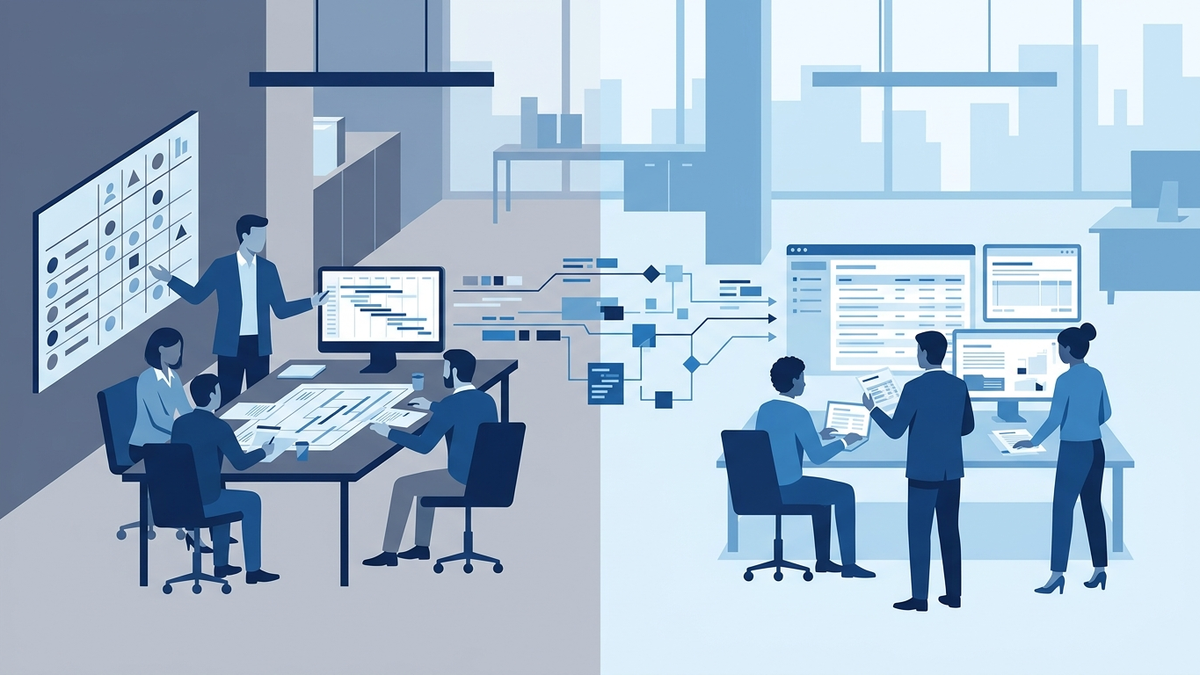
A typical integrated workflow has four stages:
- Opportunity to engagement — the CRM records the sale and key commercial terms; the PSA creates the delivery structure after the engagement is won.
- Plan to execute — services leaders staff the work, set milestones, track risks, and collect time and expenses in the PSA.
- Deliver to bill — approved delivery data supports invoices, work-in-progress review, and services-specific revenue treatment.
- Post to report — approved financial transactions move into the ERP for ledger posting, entity reporting, consolidation, and audit workflows.
The integration should be designed around ownership, not just data movement. Define which system owns the customer, project, contract, resource, time, invoice, and revenue-recognition records. Then test exception handling: amendments, cancellations, delayed time entry, multi-currency projects, partial billing, and project closeout. A connector that handles only the happy path is not an operating model.
PSA vs ERP: Evaluation Criteria
Use these questions before comparing platforms:
- Operating model: Are engagements the primary unit of work, with named people, billable rates, milestones, and delivery risk?
- Financial boundary: Which system owns the general ledger, and which system should calculate or supply the services context behind each posting?
- Resource depth: Do delivery leaders need skills-based matching, capacity scenarios, and forward demand planning?
- Project accounting: Are revenue recognition, work in progress, contract amendments, or multi-currency requirements complex enough to exceed basic project accounting?
- Integration architecture: Does the proposed connection support two-way data exchange, approvals, audit trails, and documented exception handling?
- Data quality: Can consultants submit time and expenses consistently, and can finance trust the approved data entering the ERP?
- Implementation reality: Are there reference customers with a similar services model, entity structure, and integration footprint?
- Total cost of ownership: What will licenses, implementation, integration maintenance, upgrades, and internal administration cost over five years?
Common PSA and ERP Mistakes
Treating PSA as another finance system
PSA should complement the ERP's financial-control role. Duplicating the ledger or allowing competing sources of truth creates reconciliation work and weakens auditability.
Treating ERP project modules as a complete PSA
An ERP project module may track cost and revenue without solving named-resource capacity, delivery risk, or forward staffing. Validate the operational workflow with delivery users, not only the finance team.
Buying integration before defining ownership
Connecting two systems before deciding which one owns each record produces duplicated projects, inconsistent statuses, and unclear approval responsibilities.
Measuring implementation only by go-live
A PSA-ERP implementation is not complete when the connector sends its first transaction. Measure adoption, time-entry fidelity, billing accuracy, reconciliation effort, and margin visibility after go-live.
Final Verdict
PSA and ERP are complementary systems for organizations whose services-delivery complexity has outgrown basic project management and accounting workflows. ERP protects the financial system of record. PSA gives services leaders the operational context needed to staff, deliver, bill, and improve engagements. The right decision is usually not PSA versus ERP. It is whether the organization needs a dedicated delivery layer, how that layer should integrate with finance, and which system should own each step from opportunity through cash.
For a broader view of PSA capabilities, see our PSA software buyer's guide. For platform-level evaluation, see best PSA software in 2026. For a specific enterprise comparison, see Upland PSA vs Kantata.
Can PSA replace ERP software?
Usually not. PSA can handle services delivery, project accounting, billing workflows, and some revenue-recognition processes, but ERP typically remains the system of record for the general ledger, entity reporting, payables, receivables, and consolidation.
Is PSA part of an ERP?
It can be. Some ERP vendors offer professional-services modules, while other PSA platforms integrate with ERP systems. Compare the documented depth of resource planning, delivery management, project accounting, and integration workflows rather than assuming that a module has full PSA coverage.
What comes first, PSA or ERP?
The answer depends on the operating gap. If financial controls and the ledger are missing, establish the ERP foundation first. If finance is stable but delivery runs through spreadsheets and resource conflicts are costly, a PSA may be the next layer. Organizations with both systems should design ownership and integration before implementation.